The Hidden Bottleneck in Your AI Workstation
The buzz from CES 2026 is unmistakable: NVIDIA’s latest RTX 50-series GPUs and AMD’s new Ryzen AI processors promise staggering teraflops for local AI. Yet, as the industry marvels at raw computational power, a critical flaw is emerging in countless deployment plans. The real story from this year’s show isn’t just about faster silicon—it’s about skyrocketing costs for pre-built “AI PC” solutions that often pair a top-tier GPU with anemic supporting hardware. Investing in a flagship GPU without a balanced architecture is like fitting a Formula 1 engine into a chassis with bicycle tires and a scooter transmission; you’ll never realize its potential, and the investment is largely wasted.
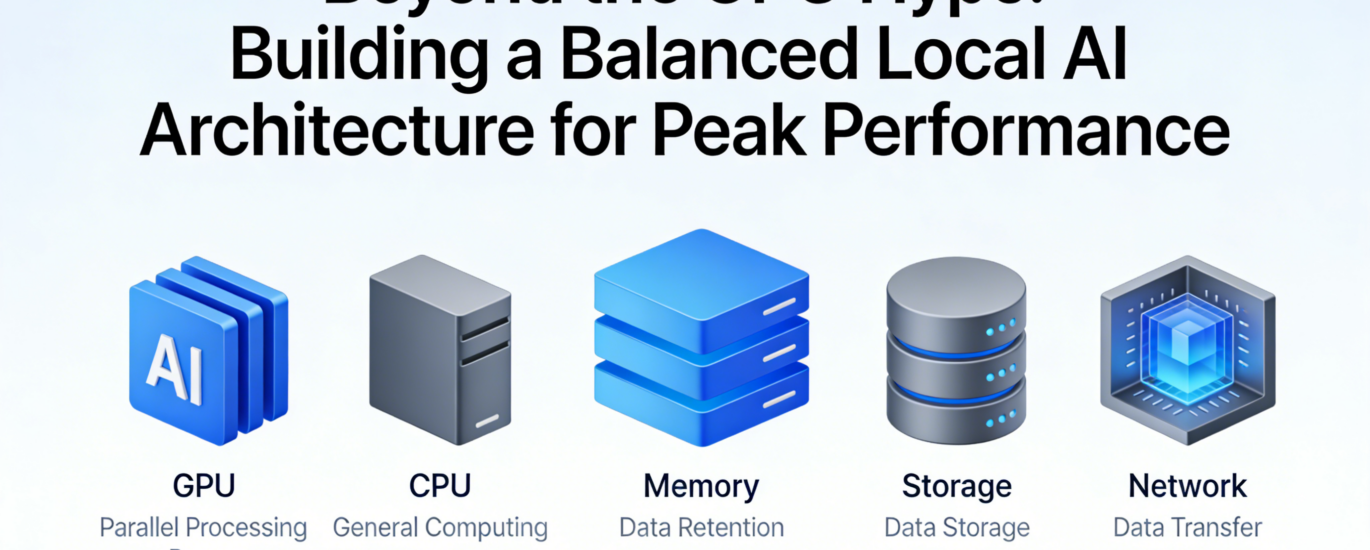
At LocalArch.ai, our real-world experience building on-premise solutions has consistently shown that peak AI performance is a symphony, not a solo. True system efficiency—where models run swiftly, workflows are smooth, and total cost of ownership is minimized—is achieved only when GPU, RAM, storage, and CPU are carefully harmonized. This article moves beyond the GPU hype to provide a practical blueprint for building a balanced local AI architecture that delivers reliable, peak performance for the long term.
The Myth of the “GPU-Only” Upgrade
The prevailing misconception is that AI performance scales linearly with GPU cost. This leads to lopsided systems where a $2,500 GPU is bottlenecked by insufficient memory or sluggish storage, creating frustrating performance ceilings.
The Real Bottlenecks:
- RAM Starvation: Modern large language models (LLMs) are memory-hungry. Loading a 70-billion-parameter model can easily require 40+ GB of RAM. If your system RAM is inadequate, the model can’t load at all, or it forces heavy swapping to disk, crippling speed. The GPU sits idle, waiting for data.
- Storage I/O Drag: Fine-tuning models or processing large datasets involves reading millions of files. A standard SATA SSD can become a severe bottleneck, causing data pipelines to stall while the GPU waits for its next batch of training data.
- CPU Underperformance: While the GPU handles model inference (prediction), the CPU is crucial for data pre-processing, pipeline management, and running the orchestrating framework (like Ollama or vLLM). An underpowered CPU can’t feed the GPU fast enough.
As one of our clients building an internal chatbot discovered, moving from a top-tier GPU alone to a balanced system design tripled their effective throughput. The key was not more GPU power, but eliminating the bottlenecks around it.
The Balanced Architecture Framework: CPU, RAM, and Storage as Performance Multipliers
Building a balanced system requires viewing every component as an active participant in the AI workflow. Here’s how to think about each element:
- System RAM: The Essential Staging Ground
Think of RAM as your GPU’s immediate, high-speed workshop. It holds the model weights being actively used, the data being processed, and the intermediate results.
- Rule of Thumb: Aim for 1.5x to 2x the GPU VRAM as your minimum system RAM. For a GPU with 24GB VRAM, target at least 32-48GB of system RAM. For dual-GPU setups or 48GB+ professional cards, 128GB or more is advisable.
- Speed Matters: Leverage DDR5 or the latest standards. Faster RAM speeds reduce latency when the CPU is preparing data for the GPU.
- Storage: The Conveyor Belt
Your storage drives are the conveyor belts feeding raw materials (datasets) to the workshop and archiving finished products (trained models).
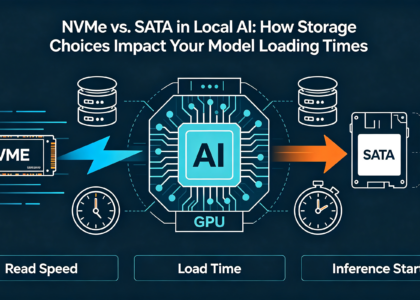
- NVMe is Non-Negotiable: For the primary drive (OS, applications, active datasets), a fast PCIe 5.0 NVMe SSD is critical. It ensures near-instantaneous model loading and rapid data access.
- Tiered Strategy: Implement a cost-effective tier:
- Tier 1 (NVMe SSD): For active projects, model repositories, and your working environment.
- Tier 2 (High-Capacity SATA SSD/HDD): For cold storage of archived datasets, logs, and backed-up models.
- CPU: The Orchestra Conductor
The CPU doesn’t run the model, but it manages everything else: loading data from storage into RAM, executing the AI framework software, and handling system tasks.
- Core Count over Pure Clock Speed: Modern AI frameworks are multi-threaded. A CPU with a high core/thread count (e.g., AMD Ryzen 9/Threadripper or Intel Core i9/i7) will keep data flowing smoothly.
- PCIe Lane Support: Ensure your CPU/platform provides enough PCIe lanes to run your GPU, NVMe drives, and other add-in cards at full speed without contention.
Practical Configurations for Different Needs
Here are balanced configurations that align with different use cases and budgets, designed to prevent bottlenecks and maximize your GPU investment.
| Use Case & Goal | Balanced Configuration Blueprint | Key Performance Rationale |
| Developer/Researcher Run & fine-tune 7B-40B parameter models. |
GPU: RTX 5080 (16-24GB VRAM) RAM: 64-96GB DDR5 Storage: 2TB PCIe 5.0 NVMe SSD CPU: 12-core/24-thread (e.g., Ryzen 9 8900X) |
RAM provides ample headroom for large models and data batches. The fast NVMe eliminates wait times during model loading and dataset iteration. |
| Small Team/Department Server Serve multiple fine-tuned models to 10-20 users. |
GPU: Dual RTX 5090 or RTX 6000 Ada (48GB total) RAM: 128-192GB ECC DDR5 Storage: 4TB NVMe SSD (Primary) + 16TB SATA SSD (Data) CPU: 16-core/32-thread (e.g., Threadripper Pro) |
ECC RAM ensures stability for continuous operation. High core count manages concurrent requests. Tiered storage balances speed and capacity. |
| Edge Inference Appliance Real-time AI in manufacturing, retail, or remote locations. |
GPU: Ruggedized RTX 5000 Mobile / Embedded AGX Orin RAM: 32-64GB (soldered for durability) Storage: 1-2TB high-endurance industrial NVMe CPU: Matched mobile/embedded platform |
Focus is on reliability, power efficiency, and endurance. Industrial-grade components resist vibration, temperature swings, and 24/7 operation. |
Implementing Your Balanced System: A Step-by-Step Guide
- Define Your Primary Workload: Is it inference (running models), fine-tuning (customizing models), or training (building from scratch)? This dictates your GPU choice and the scale of supporting components.
- Start with the Model: Determine the parameter size of the models you need to run. Use this to calculate your minimum VRAM and system RAM requirements.
- Build Outward from the GPU: Select a GPU that meets your VRAM and speed needs. Then, choose a motherboard and CPU platform that can support that GPU at full bandwidth (using a full x16 PCIe slot) and has enough slots/fast interfaces for your RAM and storage needs.
- Prioritize Fast Storage: Budget for a high-quality, high-throughput NVMe SSD as your primary drive. This is one of the most cost-effective performance upgrades you can make.
- Plan for Cooling & Power: Balanced systems with high-end components generate significant heat and draw substantial power. Invest in a robust cooling solution (both for CPU and case airflow) and a high-efficiency, wattage-appropriate power supply unit (PSU).
Conclusion: Architecting for Sovereignty and Performance
The journey to effective local AI is not about buying the most expensive single component featured at CES. It’s about intentional, holistic architecture. A balanced system ensures that every dollar spent on a powerful GPU is fully utilized, leading to faster results, smoother workflows, and a lower total cost of ownership over time—core principles we champion at LocalArch.ai.
By moving beyond the GPU hype and focusing on system-wide balance, you build more than just a fast computer. You build a sovereign AI platform that delivers reliable, secure, and high-performance intelligence exactly where you need it: in your own environment, on your own terms.
Ready to design a balanced local AI architecture that delivers on its full promise? The experts at LocalArch.ai provide tailored AI Infrastructure consulting and design services to help you select and integrate the right components for your specific workloads and business goals. Contact us to build your foundation for peak performance.