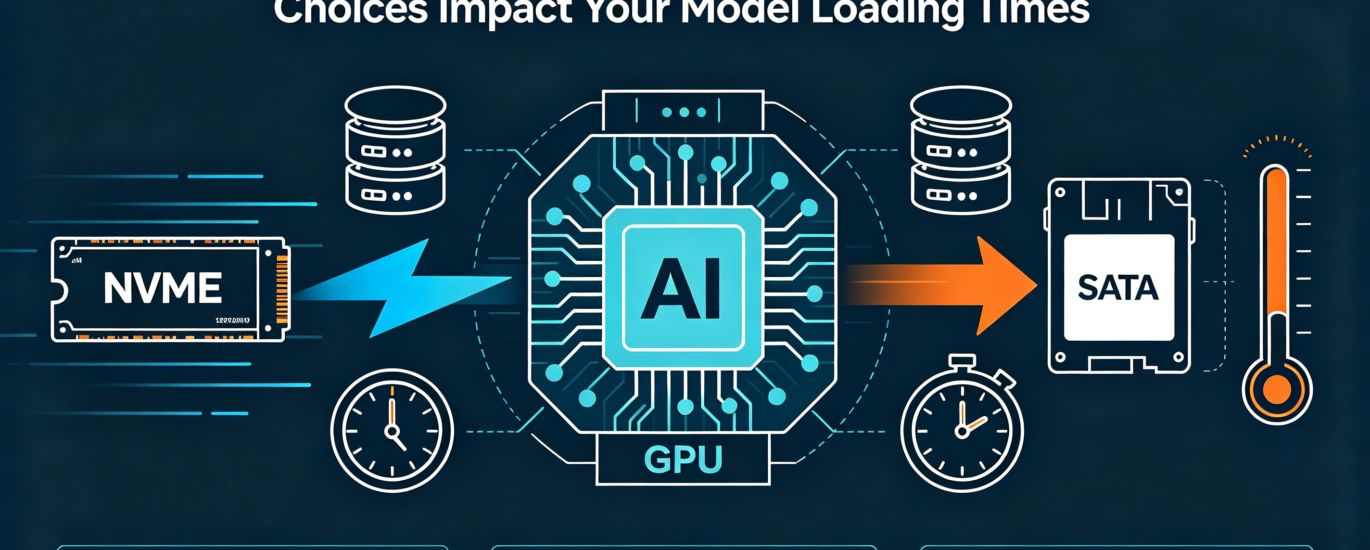
NVMe vs. SATA in Local AI: How Storage Choices Impact Your Model Loading Times
The Silent Bottleneck in Your AI Workflow
You’ve invested in a powerful GPU, maxed out your system RAM, and carefully selected a quantized model—yet you still find yourself staring at a loading bar. In the world of local AI, where every second of iteration counts, your storage drive is often the unsung hero or the hidden villain. As enthusiasts and professionals push to run larger, more capable models locally, the choice between NVMe and SATA storage has evolved from a minor specification to a critical performance determinant. This practical deep-dive explores how your storage choice directly impacts model loading times, workflow efficiency, and overall system responsiveness in AI applications.
Understanding the Technology Divide: NVMe vs. SATA
To appreciate the performance implications, we must first understand the fundamental architectural differences between these storage technologies.
SATA (Serial ATA) – The established workhorse:
- Maximum theoretical bandwidth: 6 Gb/s (approximately 600 MB/s)
- Uses the AHCI protocol designed for hard drives
- Connects via the motherboard’s chipset
- Shared bandwidth with other SATA devices
NVMe (Non-Volatile Memory Express) – The modern specialist:
- Direct PCIe connection (bypassing chipset bottlenecks)
- Designed specifically for flash storage from the ground up
- Significantly lower latency through optimized command sets
- Parallel queue depths (64K vs. SATA’s single queue of 32 commands)
- Current generations: PCIe 4.0 (8 GB/s) and PCIe 5.0 (16 GB/s)
The difference isn’t merely theoretical. While a high-quality SATA SSD might deliver 550 MB/s sequential reads, even a mid-range PCIe 4.0 NVMe drive can reach 7,000 MB/s—over 12 times faster on paper. But how does this translate to real-world AI workloads?
Benchmarking the Impact: Model Loading Times in Practice
Let’s examine how these differences manifest when working with increasingly common model sizes. The following table illustrates typical loading times for popular model sizes with different storage configurations:
| Model Size (Parameters) | Approx. File Size (Q4_K_M) | SATA SSD Load Time | PCIe 4.0 NVMe Load Time | PCIe 5.0 NVMe Load Time | Time Savings vs. SATA |
| 7B (e.g., Llama 3.2) | ~4 GB | 8-10 seconds | 1-2 seconds | < 1 seconds | 80-90% faster |
| 13B (e.g., Vicuna) | ~7.5 GB | 14-18 seconds | 2-3 seconds | 1-2 seconds | 85-90% faster |
| 34B (e.g., Yi) | ~20 GB | 35-45 seconds | 5-7 seconds | 3-4 seconds | 85-90% faster |
| 70B (e.g., Llama 3.1) | ~40 GB | 70-90 seconds | 10-12 seconds | 6-8 seconds | 85-90% faster |
Times are estimates based on synthetic benchmarks and real-world testing with consumer-grade drives. Actual results may vary based on drive quality, system configuration, and software optimizations.
These numbers reveal a stark reality: when loading a 70B model, NVMe can save you over a minute compared to SATA. In development workflows requiring frequent model restarts or switching between multiple models, these savings compound dramatically.
Beyond Sequential Reads: The Real-World AI Workload
While sequential read speeds dominate model loading times, AI workflows involve more nuanced storage patterns:
- Checkpoint Management During Fine-Tuning:
Fine-tuning models involves regularly saving checkpoints—snapshots of the model’s progress. With NVMe’s superior write speeds, these operations complete faster, reducing interruption to your workflow. For example, saving a 20GB checkpoint might take:
- SATA SSD: 35-40 seconds
- PCIe 4.0 NVMe: 5-7 seconds
- PCIe 5.0 NVMe: 3-4 seconds
- Dataset Access for Training:
When fine-tuning models, your storage must rapidly serve training examples. NVMe’s random read performance (IOPS) dramatically exceeds SATA, enabling faster data pipeline throughput. This is especially noticeable with large, unstructured datasets like image collections or lengthy text corpora. - Multi-Model Workflows:
Advanced local AI setups increasingly involve multiple specialized models working in concert (as discussed in our Ollama Mastery article). Rapid switching between models—a common pattern in agentic systems—heavily depends on storage speed. - Memory-Mapped File Performance:
Many AI frameworks (including llama.cpp) use memory-mapped files for efficient model loading. NVMe’s lower latency provides noticeable advantages in this scenario, as the system can more quickly access different portions of the model file.
Cost-Benefit Analysis: When Does NVMe Justify the Premium?
With PCIe 5.0 NVMe drives commanding a significant price premium over SATA alternatives, understanding the return on investment is crucial:
Scenarios where NVMe provides maximum value:
- Professional AI Development: When billable hours or research progress depend on iteration speed
- Large Model Experimentation: Frequently testing 34B+ parameter models
- Multi-User Systems: Servers serving models to multiple concurrent users
- Advanced Workflows: Complex pipelines involving model chaining or regular checkpointing
Scenarios where SATA may suffice:
- Educational/Experimental Systems: Learning environments where occasional delays are acceptable
- Small Model Focus: Exclusively working with 7B parameter models or smaller
- Budget-Constrained Builds: Where funds are better allocated to GPU or RAM
- Secondary Storage: For archiving models not in active use
The Middle Ground: PCIe 4.0 NVMe drives often offer 80-90% of the performance of PCIe 5.0 at 50-60% of the cost, representing an excellent balance for most serious local AI practitioners.
Implementation Guide: Optimizing Your Storage Setup
Regardless of your storage choice, proper configuration maximizes performance:
For NVMe Systems:
- Enable PCIe 4.0/5.0 in BIOS: Some motherboards default to PCIe 3.0 for compatibility
- Use Direct Storage APIs: When supported by your AI framework
- Install Heatsinks: High-performance NVMe drives throttle without adequate cooling
- Allocate Dedicated Lanes: Ensure your GPU and NVMe drives aren’t competing for bandwidth
For SATA Systems:
- Use the Primary SATA Port: Some motherboards have controllers with different performance characteristics
- Enable TRIM: Maintains write performance over time
- Avoid SATA Port Multipliers: These can significantly reduce bandwidth
- Regular Defragmentation: While less critical for SSDs, it can help with extremely fragmented model files
Hybrid Approaches for Balanced Systems:
Many advanced users implement tiered storage strategies:
- NVMe (Tier 1): Active models, datasets in use, system software
- SATA SSD (Tier 2): Archived models, less-frequently accessed datasets
- HDD/Network Storage (Tier 3): Long-term backups, experimental models
This approach maximizes performance where it matters most while controlling costs.
Future-Proofing: The Storage Horizon for Local AI
As we look toward upcoming AI developments, several trends will amplify the importance of storage performance:
- Increasing Model Sizes: With 100B+ parameter models becoming more accessible locally, loading times will grow without high-speed storage.
- Multimodal Models: Models incorporating visual, auditory, and textual components require significantly larger files, often exceeding 100GB.
- Real-Time Fine-Tuning: Emerging techniques enable continuous model adaptation, requiring rapid checkpointing and dataset access.
- Federated Learning: Distributed AI approaches will benefit from faster local storage when aggregating model updates.
For those building systems today, prioritizing a PCIe 5.0-capable motherboard provides headroom for future storage upgrades, even if starting with more modest NVMe drives.
Conclusion: Balancing Your AI Storage Investment
The choice between NVMe and SATA for local AI isn’t merely about theoretical specifications—it’s about workflow efficiency, iteration speed, and ultimately, productivity. While SATA SSDs can capably serve smaller models and educational applications, the dramatic loading time reductions offered by NVMe become increasingly valuable as model sizes grow and workflows complexify.
For most serious local AI practitioners investing in capable GPUs and ample RAM, pairing these components with NVMe storage completes a balanced architecture where no single bottleneck hinders performance. As model sizes continue to expand and multi-model workflows become standard, storage speed transitions from a nice-to-have luxury to a fundamental component of responsive local AI systems.
The question isn’t whether you need NVMe, but which tier of NVMe performance aligns with your specific AI workload, model sizes, and iteration patterns. By matching your storage investment to your actual use case, you build a system where technology serves rather than hinders your AI exploration and development.
Optimizing local AI performance requires balancing multiple components in harmony. The experts at LocalArch.ai provide tailored infrastructure assessments to identify bottlenecks and recommend balanced upgrades specific to your AI workloads and budget. Contact us to ensure your storage, GPU, RAM, and CPU work together efficiently.